Artificial Intelligence has transformed from an exciting experiment into an everyday workplace necessity. Whether you’re a freelancer, entrepreneur, marketer, developer, or corporate professional, AI productivity tools are helping people complete tasks faster while maintaining quality. Instead of replacing human creativity, these tools eliminate repetitive work, organize information, automate workflows, and provide intelligent assistance throughout the day.
The rapid growth of AI adoption reflects this shift. According to recent workplace research, 65% of employees working in organizations that use AI report improved productivity and efficiency, although only a smaller percentage believe AI has completely transformed how work gets done. This highlights an important reality: AI works best when it enhances human expertise rather than replacing it entirely.
What Are AI Productivity Tools?
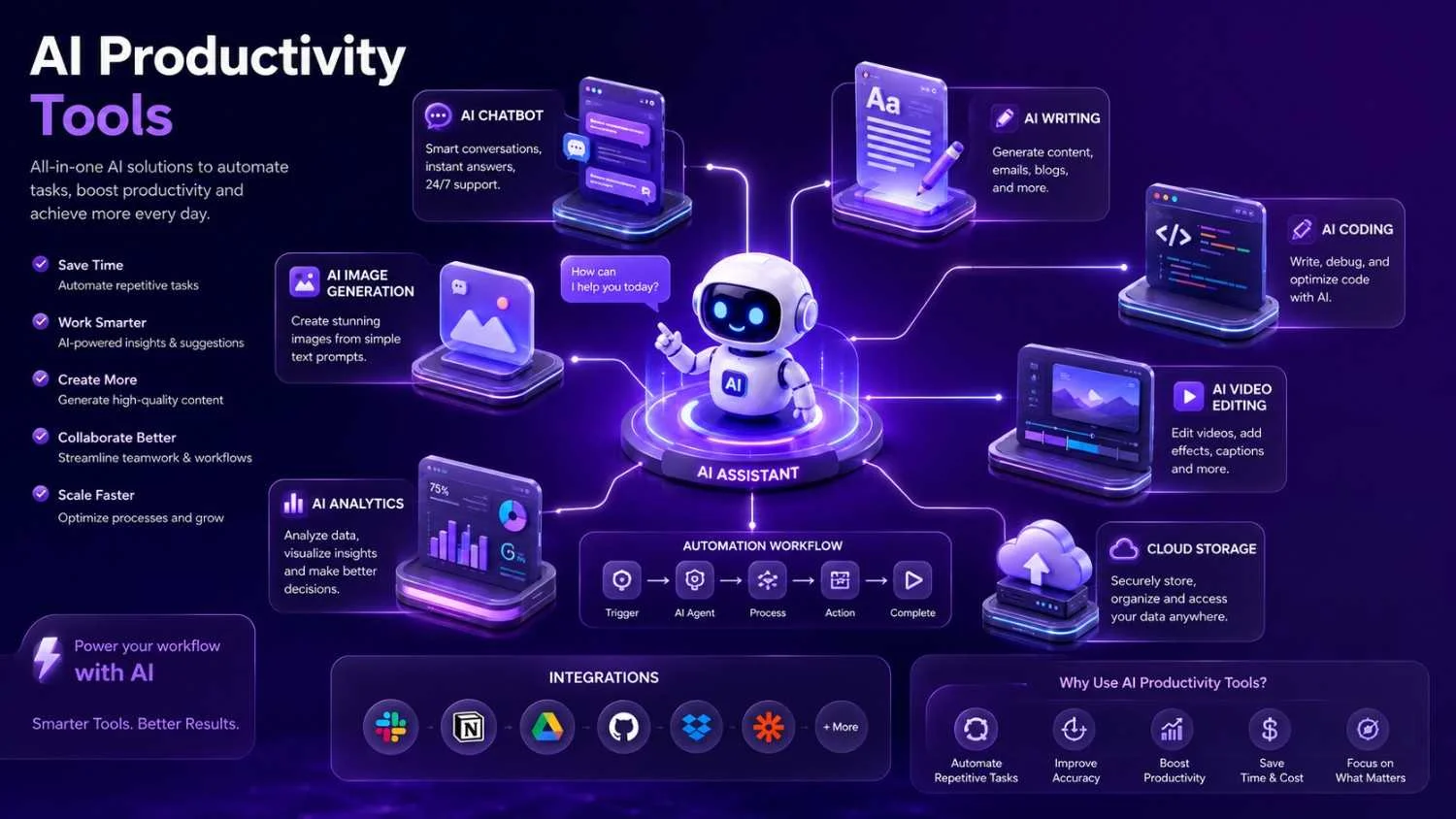
AI productivity tools are software applications powered by machine learning and large language models that automate, simplify, or accelerate everyday work. These tools can generate written content, summarize meetings, schedule appointments, analyze spreadsheets, answer questions, write code, create presentations, and even automate entire business workflows.
Unlike traditional software that follows fixed rules, modern AI tools understand context. They can interpret natural language, recognize patterns, learn user preferences, and adapt recommendations over time. This makes them significantly more valuable than simple automation software.
Businesses increasingly rely on AI because knowledge workers spend a large portion of their day switching between applications, writing emails, attending meetings, and searching for information. AI reduces these productivity bottlenecks by acting as a digital assistant that works continuously behind the scenes.
Why AI Productivity Matters More Than Ever
The workplace has become increasingly complex. Most professionals juggle dozens of apps, constant notifications, meetings, deadlines, and communication channels every day. Research indicates that workers now use significantly more productivity applications than just a few years ago, creating “tool overload” that can actually reduce efficiency.
Modern AI productivity tools address this challenge by connecting workflows instead of adding more manual work. Rather than opening separate applications for notes, scheduling, research, and writing, users can increasingly rely on AI assistants that integrate multiple functions into a single workflow.
Industry analysts also report that organizations are investing heavily in AI-ready infrastructure, data modernization, and intelligent automation as AI becomes central to long-term digital transformation strategies.
Benefits of Using AI Productivity Tools
| Benefit | Impact |
| Faster content creation | Save hours on writing and editing |
| Automated scheduling | Reduce calendar management |
| Smarter research | Find information quickly |
| Better collaboration | AI meeting summaries and action items |
| Workflow automation | Eliminate repetitive tasks |
| Improved decision making | AI-powered insights and analysis |
Some of the biggest advantages include:
- Automating repetitive work
- Faster document creation
- Improved collaboration
- Better organization
- Reduced administrative workload
- Higher focus on strategic tasks
Best AI Productivity Tools by Category
1. AI Writing Assistants
Popular examples include ChatGPT, Claude, Gemini, and Microsoft Copilot.
These tools help users:
- Write articles
- Draft emails
- Generate reports
- Brainstorm ideas
- Rewrite content
- Translate languages
- Summarize documents
Content creators, marketers, students, and business professionals all benefit from AI writing assistants because they dramatically reduce drafting time while improving clarity.
2. AI Project Management Tools
Project management platforms increasingly include AI-powered features that automatically prioritize tasks, predict deadlines, generate summaries, and recommend next actions.
Examples include:
- ClickUp AI
- Notion AI
- Asana Intelligence
- Monday AI
One major trend in 2026 is the move toward AI-native scheduling, where calendars automatically organize work based on deadlines and priorities rather than requiring manual planning.
3. AI Meeting Assistants
Meetings often consume hours each week.
AI meeting assistants now automatically:
- Record discussions
- Create transcripts
- Generate summaries
- Identify action items
- Share meeting notes
This ensures participants stay engaged without worrying about note-taking.
4. AI Research Tools
Instead of spending hours browsing websites, AI research assistants gather information, summarize findings, compare sources, and answer complex questions within minutes.
These tools are especially valuable for:
- Students
- Researchers
- Journalists
- SEO specialists
- Business analysts
5. Workflow Automation
Automation platforms combine AI with workflow builders to eliminate repetitive administrative work.
Common automations include:
- Email processing
- CRM updates
- Invoice generation
- Social media publishing
- Lead qualification
- Customer support routing
Rather than replacing employees, these systems allow teams to focus on creative and strategic work.
6. AI Coding Assistants
Software developers increasingly use AI coding assistants for:
- Code generation
- Bug fixing
- Documentation
- Testing
- Refactoring
Recent academic research suggests AI coding assistants provide moderate but meaningful productivity improvements, particularly for routine development tasks, although results vary depending on context and experience.
How to Choose the Right AI Productivity Tool
Not every AI application fits every workflow.
Consider these factors before selecting a solution:
| Feature | Why It Matters |
| Ease of Use | Faster adoption |
| Security | Protects business data |
| Integrations | Works with existing apps |
| Accuracy | Reduces manual corrections |
| Collaboration | Supports team workflows |
| Pricing | Matches your budget |
Choose software that integrates naturally with your existing workflow instead of forcing major changes.
Common Mistakes When Using AI
Many organizations fail to maximize AI because they:
- Expect AI to work without training
- Ignore human review
- Use too many disconnected tools
- Skip security policies
- Automate poor processes
Successful AI adoption combines technology with employee education, management support, and clear workflows. Organizations with stronger managerial support report better productivity outcomes from AI adoption.
Future Trends in AI Productivity
Several exciting developments are shaping the next generation of productivity software.
AI Agents
Work Smarter with AI is moving beyond simple chatbots toward intelligent agents capable of completing multi-step workflows with minimal supervision. Organizations are increasingly preparing their technology infrastructure to support these “agentic” systems.
Personalized AI Workflows
Instead of generic assistants, future AI tools will learn individual work habits, preferred writing styles, schedules, and communication patterns to deliver increasingly personalized support.
Better Integrations
Rather than replacing every application, AI will become the intelligent layer connecting calendars, documents, CRMs, communication platforms, and project management software into seamless workflows.
Final Thoughts
AI productivity tools have become essential companions for modern professionals. They reduce repetitive work, accelerate content creation, improve collaboration, and help individuals focus on meaningful tasks rather than administrative busywork.
The most successful users treat AI as a collaborative partner rather than a replacement for human judgment. By selecting the right tools, integrating them thoughtfully, and maintaining oversight, businesses and individuals can unlock substantial productivity gains while preserving creativity and quality. Do you need Best Free AI Tools?
As AI capabilities continue to evolve, the future belongs to professionals who learn how to combine human expertise with intelligent automation.
FAQs
1. What are AI productivity tools?
AI productivity tools are software applications that use artificial intelligence to automate tasks, improve efficiency, generate content, analyze data, and streamline workflows.
2. Which AI productivity tool is best?
The best tool depends on your needs. Writers may prefer ChatGPT or Claude, developers often use coding assistants, and teams may benefit from AI-enabled project management platforms.
3. Can AI replace employees?
AI is primarily designed to augment human work by automating repetitive tasks. Human creativity, critical thinking, and decision-making remain essential.
4. Are AI productivity tools secure?
Most enterprise-grade platforms offer strong security features, but organizations should review privacy policies, compliance standards, and data handling practices before adoption.
5. Is AI worth using for small businesses?
Yes. Small businesses can save time, reduce costs, improve customer service, automate marketing, and increase operational efficiency with the right AI tools.
